Showing posts with label hacked to pieces. Show all posts

let there be lights in the firmament of the heavens...

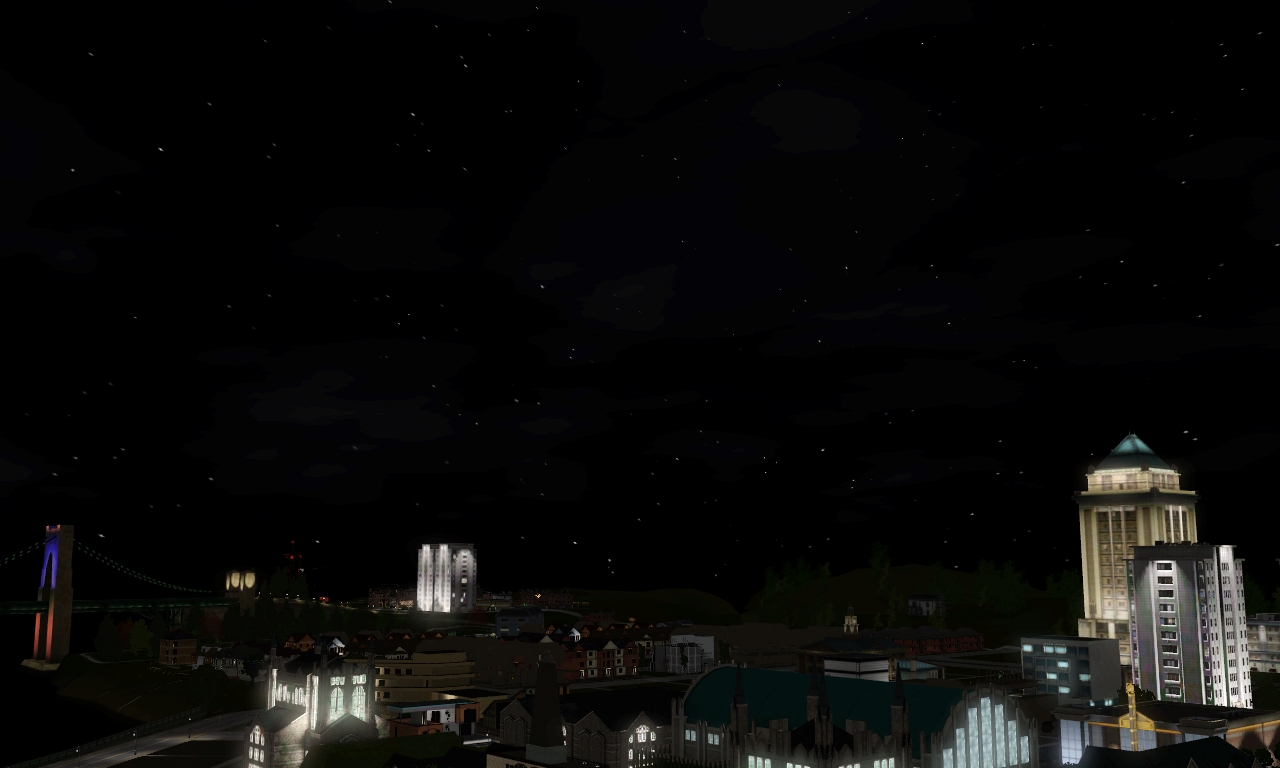
Revised stars. I am very happy with them this time. They are so tiny and twinkly and perfect!

If you've been using the default game stars for a while (which look like snow to me, lol!), these might be hard to get used to at first. But once you get used to them, they are so brilliant! Especially when zoomed out a bit. They are made to approximate the way RL stars look to the naked eye... well, from a remote location at least. You probably wouldn't see even this many stars over a city IRL, but you know, artistic license. ;)

In this revision, I have made them even smaller, and managed to fix the stretching thing that was going on.

Note, I have a "darker nights" mod in my game, but I have been told these work without lighting mods too.

(click pictures for bigger)

LH stuff: replacement starry sky


Did I not share these already? lol! I think I worked on this before my big laptop meltdown last spring, and forgot I even made it.

So these are my stars. I can't remember if I've even shared a picture of them before. When I made them, I wanted some that were smaller, more like TS2 stars were, and more realistic. These are a bit more plentiful than what you would see with your own naked eye, but they're a lot less plentiful than the default Sims 3 sky.

Depending on the angle though, sometimes they look more stretched out and skewed (see 2nd picture). The sky map mystifies me. It's not a solid texture like the TS2 sky map was. In TS3 it gets all segmented and thrown around randomly, like a kaleidoscope.

how to modify an aging mod, and updates on real-time pregnancies/aging...

My Mods:

I'll link to these first in case anyone wants to just swipe my mods and not bother with the tutorials. ;)

These are tested with all EPs except Supernatural. Though I imagine they'd work just fine anyway.


LH Real-time Aging Mod V.1

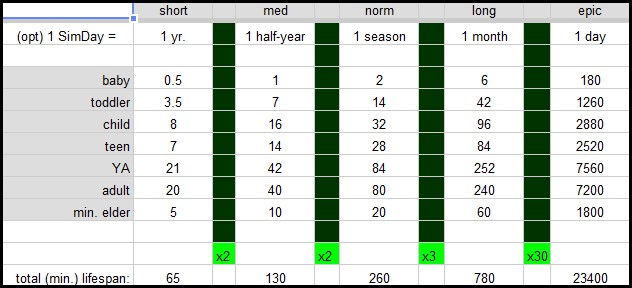
S: 1 SimDay = 1 year
M: 1 SimDay = 1 half-year (2 halfs/year)
N: 1 SimDay = 1 season (4 seasons/year)
L: 1 SimDay = 1 month (12 months/year)
E: 1 SimDay = 1 day (360 days/year)


LH Real-time Aging Mod V.2

S: 1 SimDay = 1 yr.
M: 1 SimDay = 1 season (4 seasons/year)
N: 1 SimDay = 1 month (12 months/year)
L: 1 SimDay = 1 fortnight (24 fortnights/year)
E: 1 SimDay = 1 week (48 weeks/year)

* aging mods are modified from a realistic aging mod by Absimilard at MATY (original - not mine).


And then you'll need preggy mods for your new timespan, so I have those here too:

LH Real-time Pregnancy Mods to match any one of those lengths above.

LH 36-day pregnancy

update, 6/26/17: sorry, I guess 4shared closed my old TS3 account. I reuploaded what I had installed in my own game, which was v.2 of my aging mod, and the 36-day pregnancy. Sorry, that's all I had saved from my TS3 stuff. But if that's not to your liking, I guess you can modify it by using the notes below. 


*** On How to Modify Aging and Preggy Mods ***


First off:


This assumes a very basic knowledge of s3pe. Like, enough to open a file and commit your changes, lol! If you worked with SimPe at all in Sims 2, you'll be good to go. If not even, this shouldn't be too hard to figure out.

With modding the aging mod, I figure it's not the modding part that's difficult, so much as which numbers to use.

On Modifying an Aging Mod:

The first thing to do in modding your own aging mod is decide the how short/long your lifespans will be in relation to each other. In the big picture. These are calculated in Sim-days.

Now get yourself a notebook and a sturdy calculator. For real, you need the calculator. I was *awesome* at advanced math in high school, and I had to force my brain around this one.

(But then, you know, it's also been a little while since high school, lol!)
pajama party...

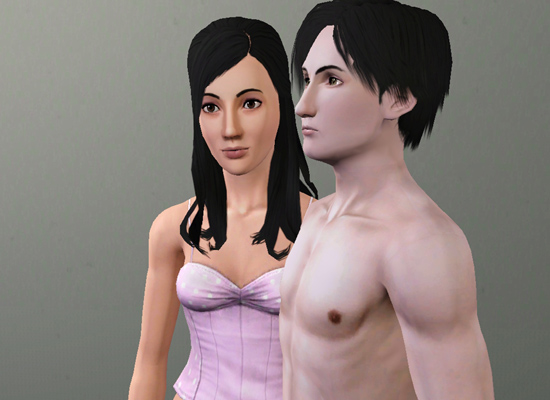
Please don't mind me, because I'm not sure if this is a worthy post, or just a chance to see Dallas and Lucy in their skivvies, lol! TS3 does them well!

Oh, but wait, what I wanted to talk about was SKINS! Yes, that's what it was. Skins. I found a new set of skin-shade sliders for my lovely alien family! So I thought I'd use Dallas to test them out. Of course, for comparing them to a normal human skin, we'll need Lucy to demonstrate the difference. That's what this is really about. Yes, that's right!... ;)

university in Sims 3

*warning: this is about to be the dorkiest thing you've ever seen, lol!*

I've been spending far, FAR too much time in CAW this week. I need to stop. Like, seriously - I even took the disk out of my drive as a deterrent, lol!


But the good news is, the first segment of my world is plotted and ready to build on! It still needs finishing touches like street lamps 'n such, but I'm going to do those all together at the end, I think. And the district you see here is the future site of LCU!

22 lots already here on campus (planned for: 7 campus buildings, 4 residence lots, 1 science facility, 6 small courtyards or parks, 2 parking lots, 1 campus shops, 1 subway station), and I've even forgot four more lots I need! :o By the time I'm finished with this, my world is going to be so HUGE I can't even play it!!!

Which has gotten me thinking a lot (and getting a million new ideas in my head) about University in Sims 3. (But we have no University for TS3, you say?) No matter though! I'm picking up some old tricks I used to use back in the early TS2 days, before we had TS2 Uni - I faked it! Back in the day, I would just make up lists of classes they had to complete to earn a degree. (This is all outside the game, by the way - it won't make any difference one way or another to actual gameplay.)

the McCullough family and custom schools...

I needed some school-aged children to test out my schools with, and so...


The McCullough family moved to Riverview! :)

Here's Robbie and Fiona - doesn't she just look like she's up to no good already? lol! After I moved them in, she did nothing but fight with poor Robbie!